Анимированное меню на React и Gsap (HTML код)
<div id="root"></div>
Анимированное меню на React и Gsap (CSS код)
body {

  margin: 0;

  padding: 0;

  font-family: Roboto, sans-serif;

}


.menu {

  display: flex;

  justify-content: space-between;

  position: relative;

  z-index: 1;

  padding: 20px;

  max-width: 800px;

  margin: 20px auto;

  border-bottom: 1px solid #eee;

}

@media (max-width: 650px) {

  .menu {

    flex-direction: column;

    align-items: center;

  }

}

.menu .item {

  padding: 18px 28px;

  cursor: pointer;

  transition: color 0.3s ease-out;

  text-decoration: none;

  color: #111;

  letter-spacing: 0.05em;

  text-transform: uppercase;

  font-size: 12px;

  margin: 5px 0;

}

.menu .item.active {

  color: #fff;

}

.menu .indicator {

  position: absolute;

  top: 0;

  left: 0;

  z-index: -1;

  border-radius: 30px;

}
Анимированное меню на React и Gsap (JS код)
const { useRef, useState, useEffect, createRef } = React;


/*--------------------

Items

--------------------*/

const items = [

{

  name: "Freelance",

  color: "#f44336",

  href: "#" },


{

  name: "Design",

  color: "#e91e63",

  href: "#" },


{

  name: "Director",

  color: "#9c27b0",

  href: "#" },


{

  name: "Experience",

  color: "#673ab7",

  href: "#" },


{

  name: "Interface",

  color: "#3f51b5",

  href: "#" }];


/*--------------------

Menu

--------------------*/

const Menu = ({ items }) => {

  const $root = useRef();

  const $indicator1 = useRef();

  const $indicator2 = useRef();

  const $items = useRef(items.map(createRef));

  const [active, setActive] = useState(0);


  const animate = () => {

    const menuOffset = $root.current.getBoundingClientRect();

    const activeItem = $items.current[active].current;

    const { width, height, top, left } = activeItem.getBoundingClientRect();


    const settings = {

      x: left - menuOffset.x,

      y: top - menuOffset.y,

      width: width,

      height: height,

      backgroundColor: items[active].color,

      ease: 'elastic.out(.7, .7)',

      duration: .8 };


    gsap.to($indicator1.current, {

      ...settings });


    gsap.to($indicator2.current, {

      ...settings,

      duration: 1 });


  };


  useEffect(() => {

    animate();

    window.addEventListener('resize', animate);


    return () => {

      window.removeEventListener('resize', animate);

    };

  }, [active]);


  return /*#__PURE__*/(

    React.createElement("div", {

      ref: $root,

      className: "menu" },


    items.map((item, index) => /*#__PURE__*/

    React.createElement("a", {

      key: item.name,

      ref: $items.current[index],

      className: `item ${active === index ? 'active' : ''}`,

      onMouseEnter: () => {

        setActive(index);

      },

      href: item.href },


    item.name)), /*#__PURE__*/


    React.createElement("div", {

      ref: $indicator1,

      className: "indicator" }), /*#__PURE__*/


    React.createElement("div", {

      ref: $indicator2,

      className: "indicator" })));


};


/*--------------------

App

--------------------*/

const App = () => {

  return /*#__PURE__*/(

    React.createElement("div", { className: "App" }, /*#__PURE__*/

    React.createElement(Menu, { items: items })));


};


/*--------------------

Render

--------------------*/

ReactDOM.render( /*#__PURE__*/React.createElement(App, null),

document.getElementById("root"));

//# sourceURL=pen.js
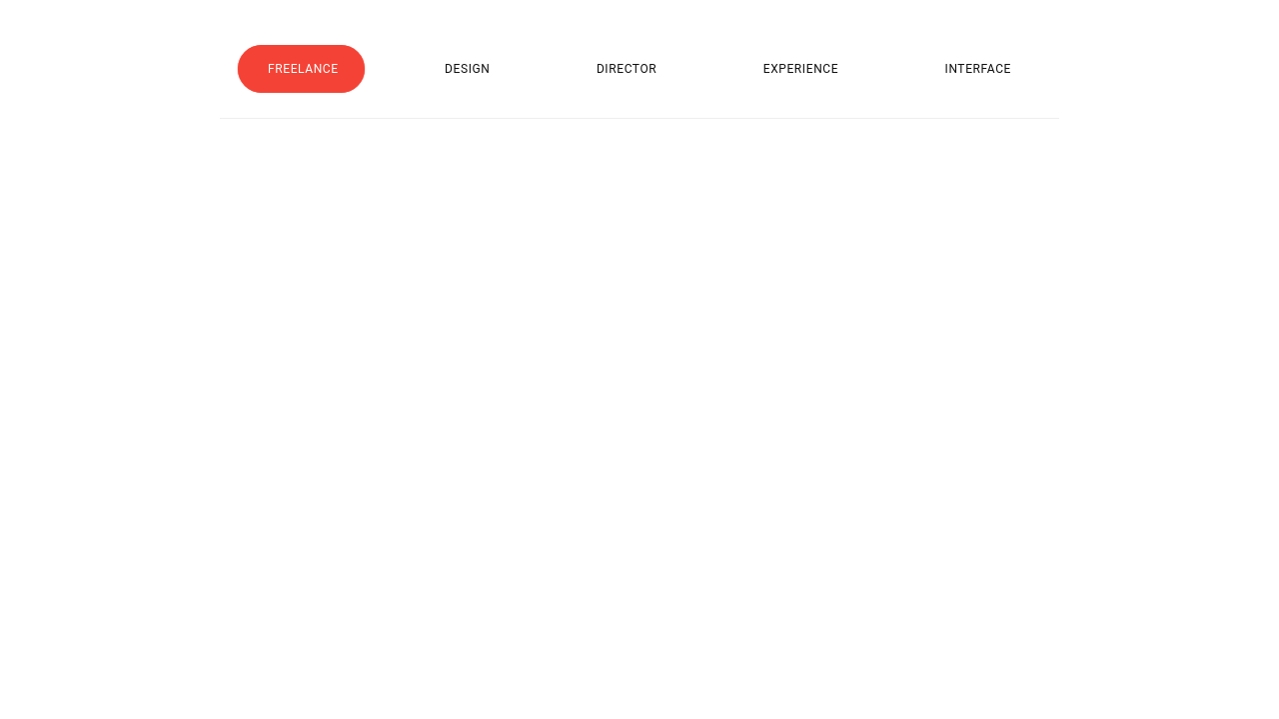
Анимированное меню на React и Gsap (Результат кода)
Comments