Арт-генератор (HTML код)
<div id="ui">

  <button id="newBtn">create</button>

<input id="hashInput"></input>

  <button id="generateBtn">draw</button>

  <button id="downloadBtn">download</button>


</div>

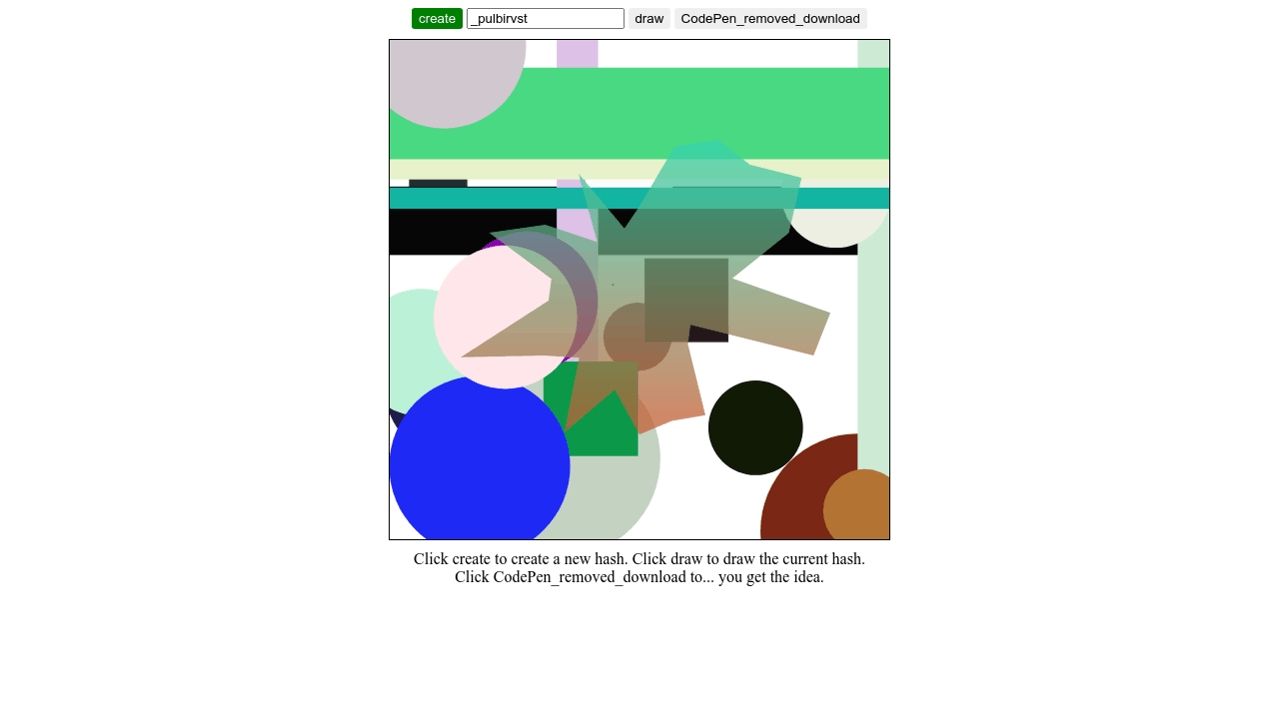
<canvas id="myCanvas"></canvas>

<div>Click create to create a new hash. Click draw to draw the current hash.<br/> Click download to... you get the idea.</div>

<script src="//cdnjs.cloudflare.com/ajax/libs/seedrandom/3.0.5/seedrandom.min.js">
Арт-генератор (CSS код)
body{

  display: flex;

  flex-direction: column;

  align-items: center;

  height: 100vh;

  text-align: center;

}


button{

  border-radius: 3px;

  border: none;

  padding: 0.2em 0.5em;

  cursor: pointer;

}


#newBtn{

  background: green;

  color: white;

}


#downloadBtn{

  background: blue;

  color: white;

}


#myCanvas{

  border: 1px solid black;

  margin: 10px;

  width: 500px;

}
Арт-генератор (JS код)
const WIDTH = 500;

const HEIGHT = 500;


let myrng;


let ctx = myCanvas.getContext("2d");


newBtn.addEventListener("click", newHash);

generateBtn.addEventListener("click", generate);

downloadBtn.addEventListener("click", download);


newHash();


function download() {

  var link = document.createElement("a");

  link.download = `${hashInput.value}.png`;

  link.href = myCanvas.toDataURL("image/jpeg");

  link.click();

}


function createHash() {

  return "_" + Math.random().toString(36).substr(2, 9);

}


function newHash() {

  let hash = createHash();

  hashInput.value = hash;


  generate();

}


function generate() {

  myrng = new Math.seedrandom(hashInput.value);


  myCanvas.width = WIDTH;

  myCanvas.height = HEIGHT;

  //ctx.clearRect(0, 0, myCanvas.width, myCanvas.height);

  ctx.fillStyle = 'white';

  ctx.fillRect(0, 0, myCanvas.width, myCanvas.height);


  ctx.globalAlpha = 1;


  let count = Math.floor(myrng() * 50);

  let arr = new Array(count).fill(0);


  arr.forEach(i => {

    let shape = myrng();


    let h = Math.floor(myrng() * 360);

    let s = Math.floor(myrng() * 100);

    let b = Math.floor(myrng() * 100);

    ctx.fillStyle = `hsl(${h},${s}%,${b}%)`;


    let x = myrng() * myCanvas.width;

    let y = myrng() * myCanvas.height;

    let size = myrng() * 100;


    if (shape > 0.8) {

      ctx.fillRect(x, y, size, size);

    } else if (shape > 0.7) {

      ctx.fillRect(x, 0, size, HEIGHT);

    } else if (shape > 0.5) {

      ctx.fillRect(0, y, WIDTH, size);

    } else {

      ctx.beginPath();

      ctx.arc(x, y, size, 0, 2 * Math.PI);

      ctx.closePath();

      ctx.fill();

    }

  });


  drawPolygon();

}


function drawPolygon() {

  let points = 3 + Math.floor(myrng() * 24);


  let arr = new Array(points).fill(0);


  let hA = Math.floor(myrng() * 360);

  let colorA = `hsl(${hA},100%,50%)`;

  let hB = Math.floor(myrng() * 360);

  let colorB = `hsl(${hB},100%,50%)`;


  var grd = ctx.createLinearGradient(0, 0, 0, HEIGHT);

  grd.addColorStop(0, colorA);

  grd.addColorStop(1, colorB);


  ctx.fillStyle = grd;


  ctx.globalAlpha = 0.75;


  ctx.beginPath();


  arr.forEach((i, j) => {

    let angle = 2 * Math.PI * j / points;


    let radius = 50 + myrng() * (WIDTH / 3);


    let cx = WIDTH / 2;

    let cy = HEIGHT / 2;

    let x = cx + Math.sin(angle) * radius;

    let y = cy + Math.cos(angle) * radius;


    if (j == 0) {

      ctx.moveTo(x, y);

    } else {

      ctx.lineTo(x, y);

    }

  });


  ctx.closePath();

  ctx.fill();


}

//# sourceURL=pen.js
Арт-генератор (Результат кода)
Comments