Горизонтальная карусель GSAP (HTML код)
<div id="carousel">


  <div id="slides"></div>


  <svg id="next" viewBox="0 0 50 50" xmlns="http://www.w3.org/2000/svg" fill="none" stroke="#fff" stroke-width="2">

    <circle fill="rgba(170,170,170,0.24)" cx="25" cy="25" r="20" />

    <polyline id="arrow" points="21,15 33,25 21,35"/>

  </svg>


  <svg id="prev" viewBox="0 0 50 50" xmlns="http://www.w3.org/2000/svg" fill="none" stroke="#fff" stroke-width="2">

    <circle fill="rgba(170,170,170,0.24)" cx="25" cy="25" r="20" />

    <polyline id="arrow" points="29,15 17,25 29,35"/>

  </svg>


</div>
Горизонтальная карусель GSAP (CSS код)
@import url('https://fonts.googleapis.com/css2?family=Rubik:wght@600&display=swap');


html, body {

  width:100%;

  height:100%;

  background:#111;

  color:#fff;

  font-family: 'Rubik', sans-serif;

}


#carousel {

  position:relative;

  width:100%;

  height:700px;

  background:#000;

  overflow:hidden;

  font-size:0;

}


#slides {

  position:absolute;

  left:50%;

  width: 100%;

  height:100%;

}


#next, #prev {

  cursor:pointer;

  position:fixed;

  top:325px;

  left:25px;

  width:50px;

  height:50px;

}


#next {

  left:auto;

  right:25px;

}
Горизонтальная карусель GSAP (JS код)
let n = 15;

let parallax = []; // we'll store the animations in here.

let clamp = gsap.utils.clamp(0, 1);

let currentX = 0;

let snap = gsap.utils.pipe(gsap.utils.snap(450), gsap.utils.clamp(n * -450, 0));


// Set #slides width for draggable bounds

gsap.set('#slides', { width: n * 450 });


// Populate slide boxes

for (var i = 0; i < n; i++) {if (window.CP.shouldStopExecution(0)) break;


  var box = document.createElement('div'),

  img = new Image(),

  link = document.createElement('a');


  gsap.set(box, {

    width: 400,

    height: 600,

    overflow: 'hidden',

    position: 'absolute',

    top: 50,

    left: i * 450,

    attr: { class: 'box b' + i },

    background: '#333' });


  gsap.set(img, {

    position: 'absolute',

    left: -300, //-i*50,

    attr: { src: 'https://picsum.photos/id/' + (i + 10) + '/700/600/' } });


  parallax[i] = gsap.to(img, { x: 300, ease: "none", paused: true });


  gsap.set(link, {

    position: 'absolute',

    textAlign: 'center',

    width: 105,

    height: 70,

    paddingTop: '7px',

    top: 490,

    left: -25,

    rotation: 90,

    fontSize: '45px',

    color: '#000',

    background: '#fff',

    mixBlendMode: 'lighten',

    textDecoration: 'none',

    innerHTML: 'IMG ' + (i + 1),

    attr: {

      class: 'imgLink',

      href: 'https://picsum.photos/id/' + (i + 10) + '/700/600/',

      target: '_blank' } });


  box.appendChild(img);

  box.appendChild(link);

  slides.appendChild(box);

}


// Make #slides draggable

window.CP.exitedLoop(0);Draggable.create('#slides', {

  type: 'x',

  bounds: { left: innerWidth / 2, width: 1 },

  zIndexBoost: false,

  onDrag: updateParallax,

  inertia: true,

  throwResistance: 8000,

  onRelease: function () {currentX = this.endX;},

  onThrowUpdate: updateParallax,

  snap: snap });


function updateParallax() {

  // parallax should start from the right edge of the screen and we know that the #slides starts with

  // its left edge centered, thus we add innerWidth/2

  let x = gsap.getProperty('#slides', 'x') + window.innerWidth / 2,


  // convert the position in the viewport (right edge of viewport to -400 because that's when the

  // right edge of the element would go off-screen to the left) into a progress value where it's 0

  // at the right edge and 1 when it reaches the left edge

  normalize = gsap.utils.mapRange(window.innerWidth, -400, 0, 1);


  // apply the clamped value to each animation

  parallax.forEach((animation, i) => animation.progress(clamp(normalize(x + i * 450))));

}


updateParallax();


// Update draggable bounds onResize

window.addEventListener('resize', () => {

  Draggable.get("#slides").applyBounds({ left: innerWidth / 2, width: 1 });

  updateParallax();

});


// Previous & next buttons

$('#prev, #next').on('click', function (e) {


  let nextX = snap(currentX + (e.currentTarget.id === "next" ? -450 : 450));

  if (nextX !== currentX) {

    gsap.to("#slides", { x: nextX, duration: 0.3, onUpdate: updateParallax, overwrite: true });

    currentX = nextX;

  }


});


$('#prev, #next').on('mouseenter', e => {

  gsap.to('#' + e.currentTarget.id + ' circle', { attr: { r: 22 }, ease: 'expo', overwrite: true });

});


$('#prev, #next').on('mouseleave', e => {

  gsap.to('#' + e.currentTarget.id + ' circle', { attr: { r: 20 }, ease: 'expo', overwrite: true });

});


// Img Link rollover/out behavior

$('.imgLink').on('mouseenter', e => {

  gsap.to(e.currentTarget, { x: 10, duration: 0.3, ease: 'power3', overwrite: true });

});


$('.imgLink').on('mouseleave', e => {

  gsap.to(e.currentTarget, { x: 0, duration: 0.3, ease: 'power4.inOut', overwrite: true });

});

//# sourceURL=pen.js
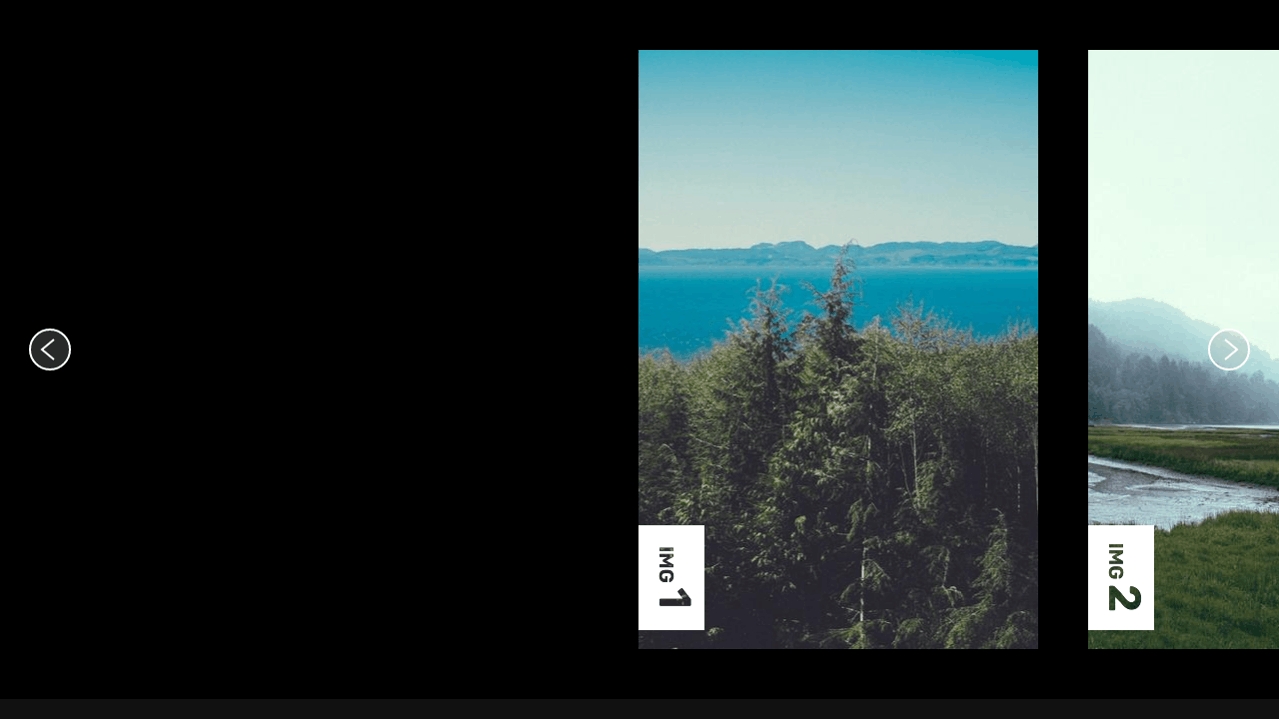
Горизонтальная карусель GSAP (Результат кода)
Comments