8 ответов:
перенос текста не является частью SVG1.1, реализуемой в настоящее время спецификации. Вы должны скорее использовать HTML через
<foreignObject/>элемент.<svg ...> <switch> <foreignObject x="20" y="90" width="150" height="200"> <p xmlns="http://www.w3.org/1999/xhtml">Text goes here</p> </foreignObject> <text x="20" y="20">Your SVG viewer cannot display html.</text> </switch> </svg>
вот такой вариант:
<svg ...>
  <switch>
    <g requiredFeatures="http://www.w3.org/Graphics/SVG/feature/1.2/#TextFlow">
      <textArea width="200" height="auto">
       Text goes here
      </textArea>
    </g>
    <foreignObject width="200" height="200"
     requiredFeatures="http://www.w3.org/TR/SVG11/feature#Extensibility">
      <p xmlns="http://www.w3.org/1999/xhtml">Text goes here</p>
    </foreignObject>
    <text x="20" y="20">No automatic linewrapping.</text>
  </switch>
</svg>
отмечая, что даже если foreignObject может быть сообщен как поддерживаемый с этой featurestring, нет никакой гарантии, что HTML может отображаться, потому что это не требуется спецификацией SVG 1.1. На данный момент нет featurestring для поддержки html-in-foreignobject. Тем не менее, он по-прежнему поддерживается во многих браузерах, поэтому он, вероятно, станет необходимым в будущем, возможно, с соответствующим featurestring.
отметим, что 'textArea' элемент в SVG Tiny 1.2 поддерживаются все стандартные функции svg, например расширенное заполнение и т. д., И вы можете указать либо ширину, либо высоту как авто, что означает, что текст может свободно течь в этом направлении. ForeignObject действует как видовой экран отсечения.
Примечание: хотя приведенный выше пример является допустимым содержимым SVG 1.1, в SVG 2 атрибут "requiredFeatures" был удален, что означает "переключатель" элемент попытается отобразить первый элемент ' g 'независимо от наличия поддержки элементов SVG 1.2' textArea'. Смотрите SVG2 switch element spec.
текстовый путь может быть хорошим для некоторых случаев.
<svg width="200" height="200"
    xmlns="http://www.w3.org/2000/svg" xmlns:xlink="http://www.w3.org/1999/xlink">
 <defs>
  <!-- define lines for text lies on -->
  <path id="path1" d="M10,30 H190 M10,60 H190 M10,90 H190 M10,120 H190"></path>
 </defs>
 <use xlink:href="#path1" x="0" y="35" stroke="blue" stroke-width="1" />
 <text transform="translate(0,35)" fill="red" font-size="20">
  <textPath xlink:href="#path1">This is a long long long text ......</textPath>
 </text>
</svg>
эта функция также может быть добавлена с помощью JavaScript. Carto.net есть пример:
http://old.carto.net/papers/svg/textFlow/
Что-то еще, что также может быть полезно, вы редактируемые текстовые области:
основываясь на коде @Mike Gledhill, я сделал еще один шаг и добавил больше параметров. Если у вас есть SVG RECT и вы хотите, чтобы текст был обернут внутри него, это может быть удобно:
function wraptorect(textnode, boxObject, padding, linePadding) {

    var x_pos = parseInt(boxObject.getAttribute('x')),
    y_pos = parseInt(boxObject.getAttribute('y')),
    boxwidth = parseInt(boxObject.getAttribute('width')),
    fz = parseInt(window.getComputedStyle(textnode)['font-size']);  // We use this to calculate dy for each TSPAN.

    var line_height = fz + linePadding;

// Clone the original text node to store and display the final wrapping text.

   var wrapping = textnode.cloneNode(false);        // False means any TSPANs in the textnode will be discarded
   wrapping.setAttributeNS(null, 'x', x_pos + padding);
   wrapping.setAttributeNS(null, 'y', y_pos + padding);

// Make a copy of this node and hide it to progressively draw, measure and calculate line breaks.

   var testing = wrapping.cloneNode(false);
   testing.setAttributeNS(null, 'visibility', 'hidden');  // Comment this out to debug

   var testingTSPAN = document.createElementNS(null, 'tspan');
   var testingTEXTNODE = document.createTextNode(textnode.textContent);
   testingTSPAN.appendChild(testingTEXTNODE);

   testing.appendChild(testingTSPAN);
   var tester = document.getElementsByTagName('svg')[0].appendChild(testing);

   var words = textnode.textContent.split(" ");
   var line = line2 = "";
   var linecounter = 0;
   var testwidth;

   for (var n = 0; n < words.length; n++) {

      line2 = line + words[n] + " ";
      testing.textContent = line2;
      testwidth = testing.getBBox().width;

      if ((testwidth + 2*padding) > boxwidth) {

        testingTSPAN = document.createElementNS('http://www.w3.org/2000/svg', 'tspan');
        testingTSPAN.setAttributeNS(null, 'x', x_pos + padding);
        testingTSPAN.setAttributeNS(null, 'dy', line_height);

        testingTEXTNODE = document.createTextNode(line);
        testingTSPAN.appendChild(testingTEXTNODE);
        wrapping.appendChild(testingTSPAN);

        line = words[n] + " ";
        linecounter++;
      }
      else {
        line = line2;
      }
    }

    var testingTSPAN = document.createElementNS('http://www.w3.org/2000/svg', 'tspan');
    testingTSPAN.setAttributeNS(null, 'x', x_pos + padding);
    testingTSPAN.setAttributeNS(null, 'dy', line_height);

    var testingTEXTNODE = document.createTextNode(line);
    testingTSPAN.appendChild(testingTEXTNODE);

    wrapping.appendChild(testingTSPAN);

    testing.parentNode.removeChild(testing);
    textnode.parentNode.replaceChild(wrapping,textnode);

    return linecounter;
}

document.getElementById('original').onmouseover = function () {

    var container = document.getElementById('destination');
    var numberoflines = wraptorect(this,container,20,1);
    console.log(numberoflines);  // In case you need it

};
Если бы вы использовали d3.js, это может помочь:https://bl.ocks.org/mbostock/7555321
Я опубликовал следующее пошаговое руководство для добавления некоторых поддельных переносов слов в элемент SVG "text" здесь:
вам просто нужно добавить простую функцию JavaScript, которая разбивает вашу строку на более короткие элементы "tspan". Вот пример того, как это выглядит:
надеюсь, что это помогает !
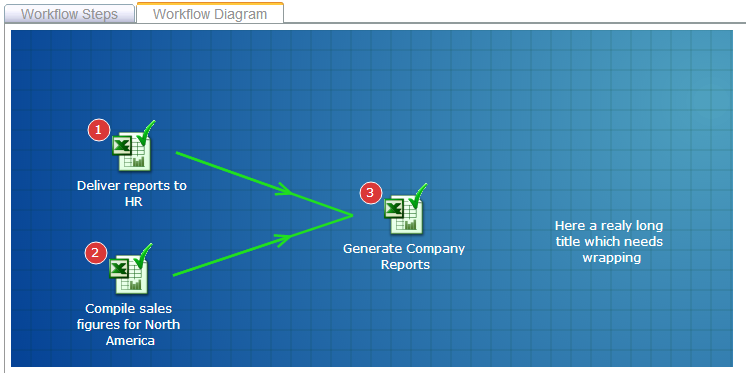
следующий код работает нормально. Выполните фрагмент кода, что он делает.
может быть, его можно очистить или сделать его автоматически работать со всеми текстовыми тегами в SVG.
function svg_textMultiline() {

  var x = 0;
  var y = 20;
  var width = 360;
  var lineHeight = 10;


  /* get the text */
  var element = document.getElementById('test');
  var text = element.innerHTML;

  /* split the words into array */
  var words = text.split(' ');
  var line = '';

  /* Make a tspan for testing */
  element.innerHTML = '<tspan id="PROCESSING">busy</tspan >';

  for (var n = 0; n < words.length; n++) {
    var testLine = line + words[n] + ' ';
    var testElem = document.getElementById('PROCESSING');
    /*  Add line in testElement */
    testElem.innerHTML = testLine;
    /* Messure textElement */
    var metrics = testElem.getBoundingClientRect();
    testWidth = metrics.width;

    if (testWidth > width && n > 0) {
      element.innerHTML += '<tspan x="0" dy="' + y + '">' + line + '</tspan>';
      line = words[n] + ' ';
    } else {
      line = testLine;
    }
  }

  element.innerHTML += '<tspan x="0" dy="' + y + '">' + line + '</tspan>';
  document.getElementById("PROCESSING").remove();

}


svg_textMultiline();
body { font-family: arial; font-size: 20px; } svg { background: #dfdfdf; border:1px solid #aaa; } svg text { fill: blue; stroke: red; stroke-width: 0.3; stroke-linejoin: round; stroke-linecap: round; }<svg height="300" width="500" xmlns="http://www.w3.org/2000/svg" version="1.1"> <text id="test" y="0">GIETEN - Het college van Aa en Hunze is in de fout gegaan met het weigeren van een zorgproject in het failliete hotel Braams in Gieten. Dat stelt de PvdA-fractie in een brief aan het college. De partij wil opheldering over de kwestie en heeft schriftelijke vragen ingediend. Verkeerde route De PvdA vindt dat de gemeenteraad eerst gepolst had moeten worden, voordat het college het plan afwees. "Volgens ons is de verkeerde route gekozen", zegt PvdA-raadslid Henk Santes.</text> </svg>
Comments