Как добавить и получить значения заголовка в WebApi
мне нужно создать метод POST в WebApi, чтобы я мог отправлять данные из приложения в метод WebApi. Я не могу получить значение заголовка.
здесь я добавил значения заголовка в приложении:
 using (var client = new WebClient())

        {

            // Set the header so it knows we are sending JSON.

            client.Headers[HttpRequestHeader.ContentType] = "application/json";


            client.Headers.Add("Custom", "sample");

            // Make the request

            var response = client.UploadString(url, jsonObj);

        }
после метода WebAPI post:
 public string Postsam([FromBody]object jsonData)

    {

        HttpRequestMessage re = new HttpRequestMessage();

        var headers = re.Headers;


        if (headers.Contains("Custom"))

        {

            string token = headers.GetValues("Custom").First();

        }

    }
каков правильный метод получения значений заголовка?
спасибо.
7 ответов:
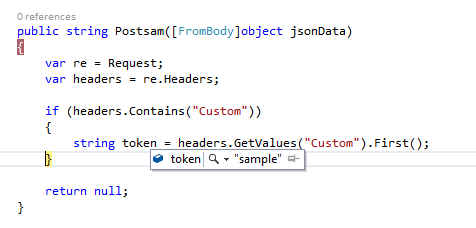
на стороне веб-API просто используйте объект запроса вместо создания нового HttpRequestMessage
     var re = Request;
    var headers = re.Headers;

    if (headers.Contains("Custom"))
    {
        string token = headers.GetValues("Custom").First();
    }

    return null;
выход -
предположим, что у нас есть контроллер API ProductsController : ApiController
есть функция Get, которая возвращает некоторое значение и ожидает некоторого входного заголовка (например. Имя Пользователя И Пароль)
[HttpGet]
public IHttpActionResult GetProduct(int id)
{
    System.Net.Http.Headers.HttpRequestHeaders headers = this.Request.Headers;
    string token = string.Empty;
    string pwd = string.Empty;
    if (headers.Contains("username"))
    {
        token = headers.GetValues("username").First();
    }
    if (headers.Contains("password"))
    {
        pwd = headers.GetValues("password").First();
    }
    //code to authenticate and return some thing
    if (!Authenticated(token, pwd)
        return Unauthorized();
    var product = products.FirstOrDefault((p) => p.Id == id);
    if (product == null)
    {
        return NotFound();
    }
    return Ok(product);
}
теперь мы можем отправить запрос со страницы с помощью jQuery:
$.ajax({
    url: 'api/products/10',
    type: 'GET',
    headers: { 'username': 'test','password':'123' },
    success: function (data) {
        alert(data);
    },
    failure: function (result) {
        alert('Error: ' + result);
    }
});
надеюсь, это кому-то поможет ...
другой способ с помощью метода TryGetValues.
public string Postsam([FromBody]object jsonData)
{
    IEnumerable<string> headerValues;

    if (Request.Headers.TryGetValues("Custom", out headerValues))
    {
        string token = headerValues.First();
    }
}
попробуйте эти коды работают в моем случае:
IEnumerable<string> values = new List<string>();
this.Request.Headers.TryGetValues("Authorization", out values);
в случае, если кто-то использует ASP.NET ядро для привязки модели,
https://docs.microsoft.com/en-us/aspnet/core/mvc/models/model-binding
там встроена поддержка для извлечения значений из заголовка с помощью атрибута [FromHeader]
public string Test([FromHeader]string Host, [FromHeader]string Content-Type )
{
     return $"Host: {Host} Content-Type: {Content-Type}";
}
вам нужно получить HttpRequestMessage из текущего OperationContext. Используя OperationContext вы можете сделать это так
OperationContext context = OperationContext.Current;
MessageProperties messageProperties = context.IncomingMessageProperties;

HttpRequestMessageProperty requestProperty = messageProperties[HttpRequestMessageProperty.Name] as HttpRequestMessageProperty;

string customHeaderValue = requestProperty.Headers["Custom"];
для .NET Core:
string Token = Request.Headers["Custom"];или
var re = Request;
var headers = re.Headers;
string token = string.Empty;
StringValues x = default(StringValues);
if (headers.ContainsKey("Custom"))
{
   var m = headers.TryGetValue("Custom", out x);
}
Comments