UICollectionView горизонтальная подкачка не по центру
У меня есть горизонтальная прокрутка collectionView с каждой ячейкой размером представления. Когда я просматриваю collectionView, он не перелистывается по ячейкам. Клетки находятся не в центре экрана. Я перепробовал кучу вещей, чтобы попытаться исправить это, и мне не повезло.
Вот видео этой проблемы:
https://www.youtube.com/watch?v=tXsxWelk16w
Есть идеи?
10 ответов:
Удалите пробелы между элементами. Для просмотра коллекции с горизонтальной прокруткой установите минимальный интервал между строками равным 0. Это можно сделать с помощью interface builder или с помощью метода протокола
UICollectionViewDelegateFlowLayout:- (CGFloat)collectionView:(UICollectionView *)collectionView layout:(UICollectionViewLayout *)collectionViewLayout minimumLineSpacingForSectionAtIndex:(NSInteger)section { return 0; }Другой способ-сделать ширину ячейки меньше ширины collectionView для значения горизонтального пространства между элементами. Затем добавьте вставки секций с левыми и правыми вставками, равными половине горизонтального пространства между элементами. Например, минимальный интервал между строками равен 10:
- (CGFloat)collectionView:(UICollectionView *)collectionView
                   layout:(UICollectionViewLayout *)collectionViewLayout
        minimumLineSpacingForSectionAtIndex:(NSInteger)section {
    return 10;
}

- (CGSize)collectionView:(UICollectionView *)collectionView
                  layout:(UICollectionViewLayout *)collectionViewLayout
  sizeForItemAtIndexPath:(NSIndexPath *)indexPath {
    return CGSizeMake(collectionView.frame.size.width - 10, collectionView.frame.size.height);
}

- (UIEdgeInsets)collectionView:(UICollectionView *)collectionView
                        layout:(UICollectionViewLayout *)collectionViewLayout
        insetForSectionAtIndex:(NSInteger)section {
    return UIEdgeInsetsMake(0, 5, 0, 5);
}
И третий способ: манипулировать collectionView прокрутки в
scrollViewDidEndDecelerating:метод:- (void)scrollViewDidEndDecelerating:(UIScrollView *)scrollView { if (scrollView == self.collectionView) { CGPoint currentCellOffset = self.collectionView.contentOffset; currentCellOffset.x += self.collectionView.frame.size.width / 2; NSIndexPath *indexPath = [self.collectionView indexPathForItemAtPoint:currentCellOffset]; [self.collectionView scrollToItemAtIndexPath:indexPath atScrollPosition:UICollectionViewScrollPositionCenteredHorizontally animated:YES]; } }
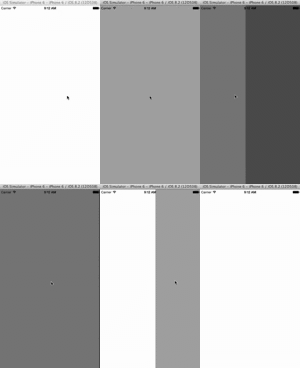
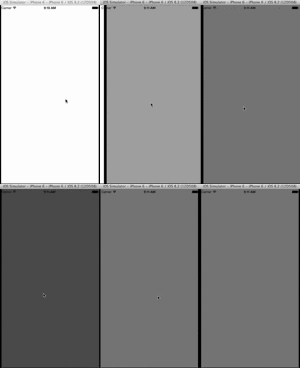
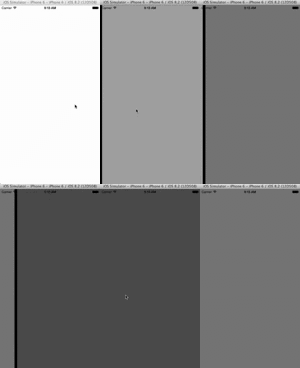
Демо здесь в Swift 3: https://github.com/damienromito/CollectionViewCustom
func scrollViewWillEndDragging(_ scrollView: UIScrollView, withVelocity velocity: CGPoint, targetContentOffset: UnsafeMutablePointer<CGPoint>) {

    let pageWidth = Float(itemWidth + itemSpacing)
    let targetXContentOffset = Float(targetContentOffset.pointee.x)
    let contentWidth = Float(collectionView!.contentSize.width  )
    var newPage = Float(self.pageControl.currentPage)

    if velocity.x == 0 {
        newPage = floor( (targetXContentOffset - Float(pageWidth) / 2) / Float(pageWidth)) + 1.0
    } else {
        newPage = Float(velocity.x > 0 ? self.pageControl.currentPage + 1 : self.pageControl.currentPage - 1)
        if newPage < 0 {
            newPage = 0
        }
        if (newPage > contentWidth / pageWidth) {
            newPage = ceil(contentWidth / pageWidth) - 1.0
        }
    }
    self.pageControl.currentPage = Int(newPage)
    let point = CGPoint (x: CGFloat(newPage * pageWidth), y: targetContentOffset.pointee.y)
    targetContentOffset.pointee = point
}
Свифт 4:
func scrollViewWillEndDragging(_ scrollView: UIScrollView, withVelocity velocity: CGPoint, targetContentOffset: UnsafeMutablePointer<CGPoint>) {

    let pageWidth = Float(itemWidth + itemSpacing)
    let targetXContentOffset = Float(targetContentOffset.pointee.x)
    let contentWidth = Float(collectionView!.contentSize.width  )
    var newPage = Float(self.pageControl.currentPage)

    if velocity.x == 0 {
        newPage = floor( (targetXContentOffset - Float(pageWidth) / 2) / Float(pageWidth)) + 1.0
    } else {
        newPage = Float(velocity.x > 0 ? self.pageControl.currentPage + 1 : self.pageControl.currentPage - 1)
        if newPage < 0 {
            newPage = 0
        }
        if (newPage > contentWidth / pageWidth) {
            newPage = ceil(contentWidth / pageWidth) - 1.0
        }
    }

    self.pageControl.currentPage = Int(newPage)
    let point = CGPoint (x: CGFloat(newPage * pageWidth), y: targetContentOffset.pointee.y)
    targetContentOffset.pointee = point
}
Swift версия @vlad-che принятый ответ:
extension GoodsViewController: UICollectionViewDelegateFlowLayout {

    func collectionView(_ collectionView: UICollectionView, layout collectionViewLayout: UICollectionViewLayout, minimumLineSpacingForSectionAt section: Int) -> CGFloat {

        return 10
    }

    func collectionView(_ collectionView: UICollectionView, layout collectionViewLayout: UICollectionViewLayout, sizeForItemAt indexPath: IndexPath) -> CGSize {

        let frameSize = collectionView.frame.size
        return CGSize(width: frameSize.width - 10, height: frameSize.height)
    }

    func collectionView(_ collectionView: UICollectionView, layout collectionViewLayout: UICollectionViewLayout, insetForSectionAt section: Int) -> UIEdgeInsets {

        return UIEdgeInsets(top: 0, left: 5, bottom: 0, right: 5)
    }
}
Возможность иметь ячейки, которые меньше Кадр
collectionViewс пространством между ячейками позволяет намекнуть пользователю, что есть другие ячейки с обеих сторон, чтобы прокрутить к которым является большой выигрыш для UX. Но для центрирования страниц не работает, как ожидалось, с каждой ячейкой, постепенно становящейся все более смещенной по мере прокрутки пользователем. Я обнаружил, что следующее работает хорошо. Анимация центрирования / привязки на каждой ячейке почти невидима для пользователя, так как она только настраивает, где прокручиваетсяcollectionViewзакончится естественно, а не рывкомcollectionView, Чтобы быстро перейти к другомуindexPath. По-прежнему важно, чтобы свойствоsectionInsetбыло установлено достаточно большим, чтобы позволить ячейке не прилипать к содержащим ее краям фрейма. Кроме того, поскольку между ячейками есть промежутки, цель может приземлиться наindexPathнулевого значения, что заставитcollectionViewпрокручиваться назад к началу. Я немного исправил это смещение, а затем попробовал снова, но здесь можно было бы использовать другие подходы.- (void)scrollViewWillEndDragging:(UIScrollView *)scrollView withVelocity:(CGPoint)velocity targetContentOffset:(inout CGPoint *)targetContentOffset { //Ensure the scrollview is the collectionview we care about if (scrollView == self.collectionView) { // Find cell closest to the frame centre with reference from the targetContentOffset. CGPoint frameCentre = self.collectionView.center; CGPoint targetOffsetToCentre = CGPointMake((* targetContentOffset).x + frameCentre.x, (* targetContentOffset).y + frameCentre.y); NSIndexPath *indexPath = [self.collectionView indexPathForItemAtPoint:targetOffsetToCentre]; //Check for "edgecase" that the target will land between cells and then find a close neighbour to prevent scrolling to index {0,0}. while (!indexPath) { targetOffsetToCentre.x += ((UICollectionViewFlowLayout *)self.collectionView.collectionViewLayout).minimumInteritemSpacing; indexPath = [self.collectionView indexPathForItemAtPoint:targetOffsetToCentre]; } // Find the centre of the target cell CGPoint centreCellPoint = [self.collectionView layoutAttributesForItemAtIndexPath:indexPath].center; // Calculate the desired scrollview offset with reference to desired target cell centre. CGPoint desiredOffset = CGPointMake(centreCellPoint.x - frameCentre.x, centreCellPoint.y - frameCentre.y); *targetContentOffset = desiredOffset; } }
Swift 3
func scrollViewDidEndDecelerating(_ scrollView: UIScrollView) {
        if scrollView == self.collectionView {
            var currentCellOffset = self.collectionView.contentOffset
            currentCellOffset.x += self.collectionView.frame.width / 2
            if let indexPath = self.collectionView.indexPathForItem(at: currentCellOffset) {
              self.collectionView.scrollToItem(at: indexPath, at: .centeredHorizontally, animated: true)
            }
        }
    }
Swift 3.0 установите свой собственный UICollectionViewFlowLayout
let layout: UICollectionViewFlowLayout = UICollectionViewFlowLayout()
let width = UIScreen.main.bounds.width
layout.itemSize = CGSize(width: width, height: 154)
layout.sectionInset = UIEdgeInsets(top: 0, left: 0, bottom: 0, right: 0)
layout.minimumInteritemSpacing = 0
layout.minimumLineSpacing = 0
layout.scrollDirection = .horizontal
collectionView?.collectionViewLayout = layout
После того, как у меня возникла аналогичная проблема, я исправил свою, поняв, что при использовании горизонтальной прокрутки высота теперь равна ширине, а ширина-высоте, потому что по умолчанию установлена вертикальная прокрутка. Попробуйте переключить значения и посмотреть, поможет ли это. https://developer.apple.com/library/content/documentation/WindowsViews/Conceptual/CollectionViewPGforIOS/UsingtheFlowLayout/UsingtheFlowLayout.html
Код, который я только что видел из официальных руководств Apple и примера кода:
AssetViewController.Свифт:
self.collectionView?.isPagingEnabled = true
self.collectionView?.frame = view.frame.insetBy(dx: -20.0, dy: 0.0)
Решение Swift 4 для удаления межстрочного интервала, чтобы сохранить ячейки центрированными:
public func collectionView(_ collectionView: UICollectionView, layout
collectionViewLayout: UICollectionViewLayout,
minimumLineSpacingForSectionAt section: Int) -> CGFloat {
    return 0
}
Swift 3 Решение основано на ответе @Santos, для использования, если у вас есть обычный горизонтальный вид коллекции страниц без элемента управления страницей, как Паоло использовал в своем примере Swift 3.
Я использовал это, чтобы решить проблему, когда горизонтально подкачивающие ячейки полноэкранных ячеек с пользовательским аниматором UICollectionViewFlowLayout не закончили вращение и в конечном итоге были смещены так, что края рамки полноэкранной ячейки были все больше горизонтально смещены от экрана. границы представления коллекции при прокрутке (как в видео OP shared).
 func scrollViewWillEndDragging(_ scrollView: UIScrollView, withVelocity velocity: CGPoint, targetContentOffset: UnsafeMutablePointer<CGPoint>) {

    // Ensure the scrollview is the one on the collectionView we care are working with
    if (scrollView == self.collectionView) {

        // Find cell closest to the frame centre with reference from the targetContentOffset.
        let frameCenter: CGPoint = self.collectionView.center
        var targetOffsetToCenter: CGPoint = CGPoint(x: targetContentOffset.pointee.x + frameCenter.x, y: targetContentOffset.pointee.y + frameCenter.y)
        var indexPath: IndexPath? = self.collectionView.indexPathForItem(at: targetOffsetToCenter)

        // Check for "edge case" where the target will land right between cells and then next neighbor to prevent scrolling to index {0,0}.
        while indexPath == nil {
            targetOffsetToCenter.x += 10
            indexPath = self.collectionView.indexPathForItem(at: targetOffsetToCenter)
        }
        // safe unwrap to make sure we found a valid index path
        if let index = indexPath {
            // Find the centre of the target cell
            if let centerCellPoint: CGPoint = collectionView.layoutAttributesForItem(at: index)?.center {

                // Calculate the desired scrollview offset with reference to desired target cell centre.
                let desiredOffset: CGPoint = CGPoint(x: centerCellPoint.x - frameCenter.x, y: centerCellPoint.y - frameCenter.y)
                targetContentOffset.pointee = desiredOffset
            }
        }
    }
}
Comments